
S2S Postback Tracking in Affiliate Marketing: How It Works
What Is the Difference Between S2S, Postback and the regular Pixel tracking.

Server-to-server tracking, commonly called S2S or postback tracking, reports an affiliate conversion through a request sent from one backend system to another. Instead of waiting for a browser pixel to load on a confirmation page, the advertiser’s server sends the conversion data directly to the affiliate platform’s postback endpoint.
S2S tracking is generally more resilient to ad blockers, script errors and failed thank-you-page loads because the conversion request does not depend on the visitor’s browser. However, it is not automatically perfect or secure. The original click ID must still be captured and stored correctly, the postback must reach the right endpoint, duplicate requests must be controlled, and the resulting conversion must be validated.
This guide explains the complete data flow, the difference between postbacks and pixels, the role of macros and parameters, security and retry requirements, implementation testing, troubleshooting and the way Tracknow supports S2S conversion tracking.
What Is Server-to-Server Tracking?
S2S tracking is a method of exchanging attribution and conversion information between backend systems. In an affiliate campaign, it normally connects two events:
- a visitor’s click on a trackable affiliate link; and
- a later action recorded by the advertiser, such as a signup, approved lead, sale, subscription or first deposit.
The connection is usually made with a unique click ID. The tracking platform generates the identifier at click time, the advertiser stores it with the visitor or customer record, and the advertiser returns it when reporting the conversion.
Postback tracking is therefore not a cookie-free form of guesswork. It is deterministic only when the same valid identifier appears on both sides of the journey. If the click ID is lost before the conversion, the server request cannot reconstruct the missing referral on its own.
What Is a Postback URL?
A postback URL is an endpoint that receives conversion information. It normally contains fixed values and placeholders called macros or tokens. At runtime, the sending system replaces each macro with the value from the actual event.
A simplified generic template might look like this:
https://tracker.example.com/postback
?click_id={click_id}
&transaction_id={transaction_id}
&event={event}
&amount={amount}
¤cy={currency}If a customer completes a $75 order, the sending system could replace the macros with the matching click ID, unique order ID, purchase event, amount and currency before making the request. The receiving tracker then finds the original click and records the conversion.
The example is illustrative. Parameter names and supported fields vary by platform. Copying a template from one system into another without mapping its macros is a common cause of missing or unattributed conversions.
How S2S Postback Tracking Works
1. The affiliate link sends a visitor to the campaign
The visitor opens an affiliate tracking link. The platform records the partner, campaign and available sub-parameters, then creates a unique click ID.
2. The click ID reaches the advertiser
The platform passes the click ID to the destination through a URL parameter or another supported integration method. The advertiser must capture it before a redirect, form, app transition or checkout process removes it.
3. The advertiser stores the identifier
The click ID is saved in a server-side session, lead record, customer record, order metadata or another backend field. The correct storage point depends on the funnel. A lead-generation business may save it when the form is submitted, while an ecommerce store may attach it to the cart or order.
4. The user completes a tracked event
The advertiser records the agreed action. This can be an initial event such as registration or a later milestone such as KYC approval, first payment, qualified lead, subscription activation or approved order.
5. The advertiser’s backend constructs the request
The server fills the postback template with the real event values. The request should include a stable matching key and, where applicable, a unique transaction ID, goal, amount, currency and other permitted fields.
6. The tracking platform receives the postback
The receiving system validates the request, finds the click record, checks whether the transaction has already been processed and applies the configured attribution and commission rules.
7. The conversion appears in reporting
The event may be recorded as pending, approved or another configured status. The affiliate and advertiser can then view the attributed result. If the campaign requires further validation, a later integration or manual review can approve, reject or reverse it.
Two Postback Directions in Affiliate Marketing
The word postback can describe two different connections. Understanding the direction prevents the wrong URL from being installed in the wrong system.
| Direction | Sender | Receiver | Purpose |
|---|---|---|---|
| Advertiser conversion postback | Advertiser website, app, CRM or backend | Affiliate platform or network | Report the customer action and attribute it to a partner |
| Partner or traffic-source postback | Affiliate platform or network | Affiliate’s tracker, media-buying platform or traffic source | Return the conversion to the system that recorded the upstream click |
In a multi-system campaign, the affiliate’s tracker can create its own click identifier and pass it to the affiliate platform as a sub-parameter. When the advertiser reports the conversion, the platform can return that upstream identifier in the partner postback. Each hop needs a documented parameter map.
Click IDs, Transaction IDs and Other Keys
The identifiers in a postback have different jobs:
| Identifier | What it identifies | Why it matters |
|---|---|---|
| Click ID | One tracked referral click | Matches the conversion to the original affiliate and campaign |
| Transaction or order ID | One business event or order | Supports deduplication, updates and reconciliation |
| Affiliate ID | The partner account | Can identify a partner, but is less granular than a click ID |
| Customer ID | A continuing customer relationship | Supports lifetime or recurring attribution when configured |
| Goal or event | The type of conversion | Separates registration, deposit, purchase and other milestones |
A transaction ID should remain stable when the same event is retried. Generating a new transaction ID for every retry can make one conversion look like several different conversions.
Macros, Parameters and Runtime Values
A macro is a placeholder understood by the sending system. A parameter is the field expected by the receiving endpoint. A correct postback maps one to the other.
Suppose a receiving platform expects click_id, while the sending platform exposes the stored value as {subid}. The configuration might map them like this:
?click_id={subid}
The names do not need to match, but the values and meanings must. Before launch, document:
- the parameter expected by the receiver;
- the macro supplied by the sender;
- whether the field is required or optional;
- the allowed type, format and maximum length;
- whether the value must be URL-encoded;
- whether it is visible to the affiliate;
- how missing or invalid values are handled.
Amounts should use an agreed decimal format, and currency should use a consistent code. Dates and times should have a documented timezone. Free-text comments and custom fields require particular care because unexpected characters can break an improperly encoded query string.
A Safe Generic Postback Example
The following example demonstrates structure without exposing a real endpoint or authentication secret:
GET /postback
?click_id=clk_8f72b1
&transaction_id=ord_10458
&event=purchase
&amount=75.00
¤cy=USD
&token=REDACTEDThe receiver should verify the request, validate the click and transaction identifiers, check whether ord_10458 already exists and return an appropriate response. Sensitive secrets must not be placed in published examples, screenshots, client-side JavaScript or public documentation.
Although GET-style postbacks are common in affiliate integrations, an API may use POST with a structured body. The method itself does not determine reliability; both sides must agree on the contract and handle errors correctly.
S2S vs. Pixel Tracking
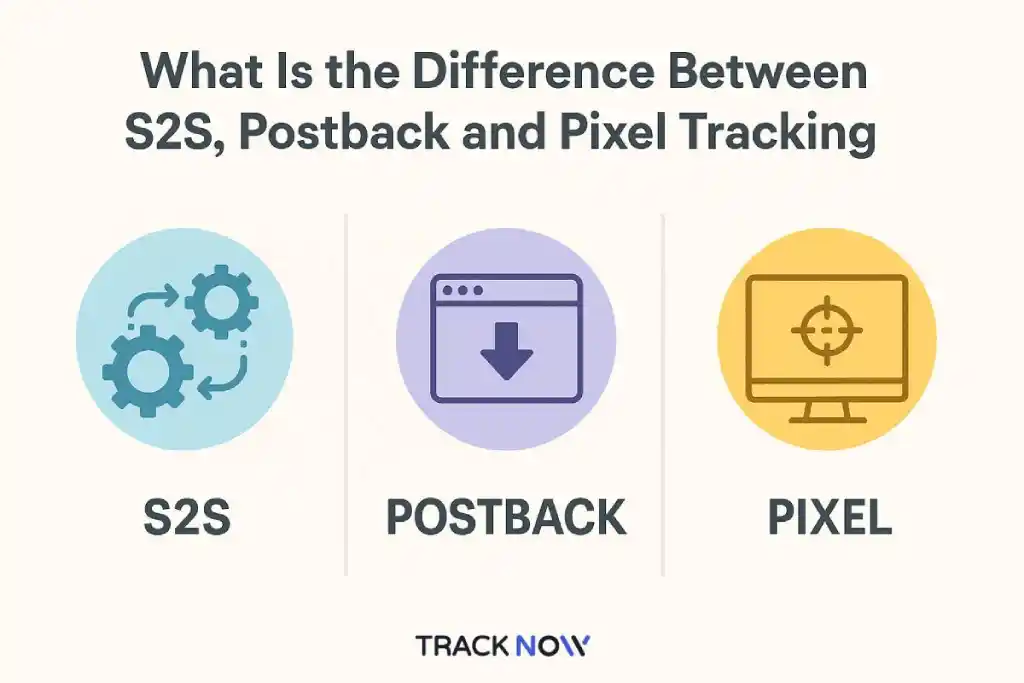
| Area | S2S postback | Browser pixel |
|---|---|---|
| Conversion sender | Advertiser’s server or backend system | User’s browser on a conversion page |
| Browser dependency | The conversion request does not require the browser, although click-ID capture may still involve it | Requires the page and pixel or script to load |
| Ad-blocker exposure | Lower for the server conversion request, but not universally immune to every failure | More exposed to script and request blocking |
| Speed | Can be sent immediately or after backend validation | Can be sent immediately when the page loads |
| Implementation | Requires backend access and identifier storage | Usually requires inserting a tag on the correct page |
| Deduplication | Can use a transaction ID and idempotent processing | Must prevent duplicate fires from reloads or repeated events |
| Security | Can be authenticated and validated, but is not secure by default | Client-visible implementation is easier to inspect or trigger |
| Privacy and compliance | Can reduce client-side exposure, but still processes data and requires appropriate controls | Requires appropriate browser-side disclosure, consent and data controls |
| Best fit | Backend-accessible funnels, delayed validation, apps and high-value events | Simple web conversions when backend integration is unavailable |
Neither method is universally correct. A small ecommerce implementation may begin with a pixel, while a lead business with delayed qualification will usually benefit from server-side status reporting. Some programs use both for validation or migration, but they must share a transaction ID or another rule that prevents double counting.
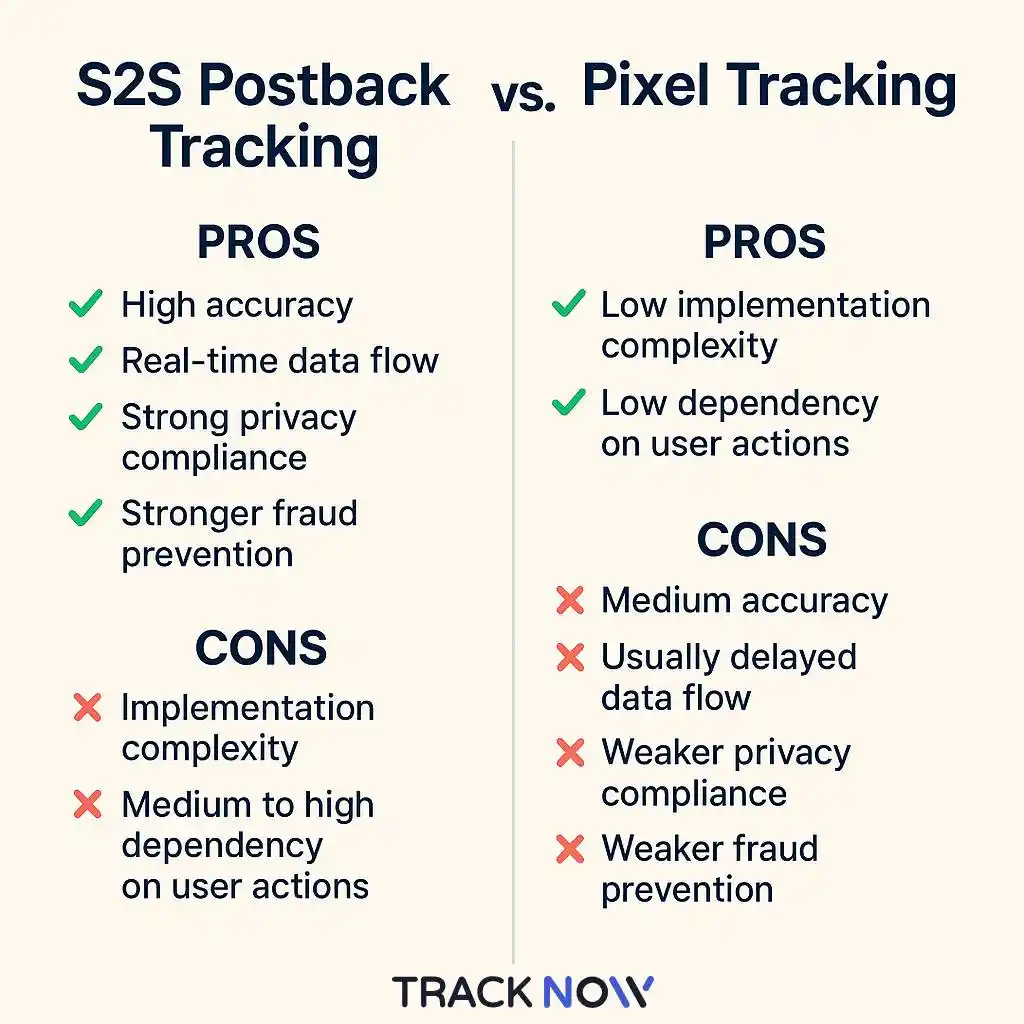
What S2S Tracking Improves—and What It Does Not
Reduced dependence on the conversion browser
The advertiser’s backend can report a conversion even when a pixel would be blocked or the customer closes the page before a client-side tag loads. This is the central operational advantage of S2S conversion reporting.
Support for delayed and qualified events
The postback does not have to fire at the first form submission. A CRM or backend can wait until the lead is verified, an account is approved or a payment succeeds. This makes server-side tracking useful for CPA tracking in funnels where the payable action occurs after the website visit.
Better control over event values
The server can use trusted order, customer or transaction records when supplying amount and currency. This is more controlled than accepting values generated only in client-side code.
No automatic cross-device attribution
S2S reporting does not by itself connect a desktop click with a mobile-app conversion. Cross-device attribution still requires a permitted shared identifier, authenticated account or a specifically designed measurement method.
No automatic fraud prevention
Click-ID matching helps preserve a deterministic trail, but a valid-looking identifier does not prove that a user or action is legitimate. Fraud controls still require validation rules, anomaly review and business data such as payment, KYC or lead-quality outcomes.
No automatic privacy compliance
S2S can keep some conversion logic away from the client, but the systems still process identifiers and may exchange customer data. The organization must define its lawful basis, disclosure, retention, access and security controls. Do not include optional personal fields unless the integration genuinely requires them and their use is permitted.
Postback Security
A postback endpoint is an external interface and should be treated accordingly. The exact controls depend on the platforms involved, but a production implementation should consider the following.
Authenticate the sender
Use a shared secret, API token, signature or other supported verification mechanism. Do not assume that an obscure endpoint is protected merely because few people know its URL.
Restrict trusted sources where practical
IP allowlisting can be useful when the sender publishes stable outbound addresses. It should not be the only control, and teams must plan for legitimate address changes. Tracknow campaign settings include allowed and disallowed IP options for postbacks.
Validate every field
Check identifier format, campaign and goal validity, amount range, currency, expected data types and maximum field lengths. Reject or quarantine values that do not match the integration contract.
Protect sensitive information
Use HTTPS. Avoid personal data in URLs because query strings can appear in application, proxy and monitoring logs. If personal fields are required for a lead workflow, minimize them and handle them according to the organization’s privacy and security requirements.
Keep an audit trail
Record when the request arrived, how it was authenticated, which transaction it affected, whether it was accepted and why it failed. Restrict access to raw logs and apply an appropriate retention period.
Deduplication and Idempotency
Network timeouts create an unavoidable question: did the receiver process the event before the connection failed? A sender may retry because it did not receive a response, even though the first request was accepted.
Idempotent processing means that repeating the same logical event does not create an additional conversion or commission. A typical implementation uses a stable transaction ID together with the relevant event type.
For example:
ord_10458 + purchasecan create the purchase once;- a retry with the same combination returns the existing outcome;
ord_10458 + refundcan be treated as a separate lifecycle event if the contract supports it.
Deduplication rules must reflect the business model. An order can contain several items, a subscription can renew many times and an iGaming customer can generate several distinct goals. Treating the customer ID alone as the unique conversion key could incorrectly suppress legitimate recurring events.
Response Codes, Retries and Failure Handling
The sender and receiver should agree on what constitutes success. In a conventional HTTP integration, a successful 2xx response indicates that the request was accepted or processed according to the documented contract. The response body may provide a more specific status.
A robust sender should distinguish between temporary and permanent failures:
| Outcome | Typical interpretation | Recommended handling |
|---|---|---|
| 2xx response | The receiver accepted the request | Record success; do not resend without a defined update reason |
| Timeout or connection error | The result is unknown | Retry with the same transaction ID and idempotency key |
| 5xx response | The receiver has a temporary server-side problem | Retry with controlled backoff and a limit |
| 4xx response | The request may be invalid or unauthorized | Inspect and correct the configuration rather than retrying indefinitely |
| Accepted but unmatched | The click ID or attribution record cannot be found | Quarantine for reconciliation and investigate the identifier path |
Retry policies depend on the receiving platform. The sender should use bounded retries, log the final outcome and alert when failures exceed an agreed threshold. Endless aggressive retries can worsen an outage and create unnecessary load.
Multiple Events and Conversion Lifecycles
Many affiliate journeys contain more than one meaningful event:
- registration;
- email or phone verification;
- KYC approval;
- first deposit;
- purchase;
- subscription renewal;
- refund, cancellation or chargeback.
Each event needs a clear name, unique-key rule and commission consequence. A registration may be useful for funnel reporting without being payable, while an approved first deposit may trigger a CPA commission. A later refund might reverse a sale commission according to the program terms.
The tracking design should answer whether a status update modifies an existing conversion or creates a separate event. Mixing these approaches without a documented rule produces duplicates and unexplained commission changes.
Tracknow S2S Postback Parameters
Tracknow affiliate software supports S2S conversion tracking alongside image, JavaScript and iframe conversion methods. The platform’s documented postback fields allow businesses to identify clicks or affiliates, send transaction values and support different commission workflows.
| Tracknow parameter | Documented purpose | Implementation note |
|---|---|---|
click_id |
The unique ID sent from the affiliate URL | Recommended when the conversion should match a specific click |
ref_id |
The affiliate ID displayed in Tracknow | Can credit an affiliate by ID as an alternative documented method |
ref_custom_id |
A custom affiliate identifier | Map it to the correct partner record |
order_id |
A unique order identifier | Use a stable value to support reconciliation and duplicate control |
amount |
The transaction value used as a commission basis unless commission is forwarded | Confirm decimal and currency handling |
commission |
A forwarded commission value | Restrict and validate any commission override workflow |
goal |
The relevant payout goal | Use the exact configured goal value |
coupon |
A coupon code for offline coupon tracking | Define precedence when coupon and click attribution conflict |
currency |
A currency different from the account default | Send a consistent currency code and confirm conversion-rate behavior |
custom1–custom8 |
Custom values not visible to the affiliate | Document what each field represents |
sub1–sub8 |
Custom values that overwrite affiliate sub fields and are visible to the affiliate | Avoid sensitive information |
new_customer and customer_id |
Fields used for Lifetime Payment Type | Follow the lifetime-assignment requirements |
mlm |
mlm=fixed applies a fixed MLM commission on the conversion |
Use only with the corresponding configured commission logic |
This is a practical subset, not a replacement for the current Tracknow postback parameter documentation. Check the documentation during implementation because available fields and behavior can evolve.
Commission Models and S2S Events
A postback reports data; the configured payment type determines how that data becomes a commission. Tracknow supports workflows for different affiliate commission models, including action-, sale- and hierarchy-based structures.
| Model | Useful postback data | Key rule to define |
|---|---|---|
| CPA | Click ID, order ID and goal | What makes the action qualified and payable |
| CPS | Click ID, order ID, amount and currency | Whether commission uses gross or eligible sale value |
| Lifetime or recurring | Customer ID, new-customer flag, order ID and amount | How the customer remains assigned and how repeat events are identified |
| MLM or sub-affiliate | Attributed conversion and the configured hierarchy | Which levels earn and whether the commission is fixed or percentage-based |
For multi-level programs, read the introduction to MLM affiliate marketing. The hierarchy and payout rules should be configured in the platform rather than improvised through undocumented URL values.
Industry Use Cases
Ecommerce
An ecommerce backend can report an approved order with its click ID, unique order ID, eligible amount and currency. Later cancellation or refund handling must be designed explicitly. Tracknow provides workflows for platforms such as Shopify affiliate tracking and WooCommerce affiliate programs.
Lead generation
The initial form can store the click ID in the CRM. The postback may fire only when the lead is accepted, or it may first report a pending event and update it after qualification. Deduplication should use a stable lead or transaction identifier rather than a changing form-session value.
Finance and Forex
A financial-services funnel may include registration, KYC, first deposit and ongoing account activity. The platform should receive only the events and data required by the commission agreement, with appropriate access and retention controls. See Tracknow’s finance affiliate platform for the wider industry workflow.
iGaming
iGaming programs often distinguish registration, first-time deposit and revenue events. Goal names, player assignment, market rules and commission calculations must be consistent across the operator backend and affiliate platform. Tracknow’s iGaming affiliate software is designed for this broader operating model.
SaaS and subscriptions
A SaaS business may report trial registration, paid activation, upgrade, renewal and cancellation. A customer identifier helps maintain the relationship, while a unique transaction ID distinguishes each billing event.
Implementation Plan
1. Define the conversion contract
List every event, its required fields, qualification rule, commission effect and source of truth. Agree on whether the initial event is pending or approved.
2. Map every identifier
Trace the click ID from the affiliate link through redirects, landing pages, forms, CRM records, checkout and the final conversion request. Map transaction, customer and goal identifiers separately.
3. Configure the receiving endpoint
Create the postback URL using the receiving platform’s parameter names and the sending system’s macros. Add the supported authentication control and validate allowed values.
4. Add duplicate and retry handling
Choose the idempotency key and define how the sender reacts to success, timeout, client error and server error. Make sure a retry uses the same transaction identity.
5. Test the complete lifecycle
Do not stop after one successful request. Test an unmatched click ID, duplicate transaction, invalid goal, missing amount, alternate currency, delayed event, refund or rejection and a simulated temporary failure.
6. Reconcile before launch
Compare row-level conversions between the advertiser source, Tracknow and any connected partner tracker. Totals alone cannot explain which transaction is missing or duplicated.
7. Monitor production traffic
Track success rate, latency, retries, unmatched identifiers, duplicate events and changes in approval rate. Assign an owner for integration alerts and reconciliation.
S2S Testing Checklist
- Confirm that every test click receives a unique click ID.
- Verify that the ID survives all redirects and funnel steps.
- Confirm that the advertiser stores the value in the intended backend record.
- Check every macro-to-parameter mapping.
- URL-encode values that require encoding.
- Use a unique and stable transaction ID.
- Test authentication failure and invalid field handling.
- Send one successful conversion and confirm the attributed affiliate and campaign.
- Send the same transaction again and verify that it is not counted twice.
- Test every configured goal separately.
- Test amount, currency and commission calculations.
- Simulate a timeout or server error and verify controlled retry behavior.
- Confirm pending, approved, rejected and reversed workflows where applicable.
- Check advertiser, affiliate and finance reports in the same timezone.
- Remove or redact secrets and personal data from shared logs and screenshots.
Common S2S Tracking Problems
| Symptom | Likely cause | What to inspect |
|---|---|---|
| Clicks appear, but no conversions do | The click ID was not stored or the postback did not fire | Redirect URL, landing-page capture, CRM field and backend logs |
| The conversion is recorded without an affiliate | The wrong parameter or an invalid identifier was sent | Macro mapping, click-ID format and attribution window |
| One event creates multiple conversions | Retries use different transaction IDs or no deduplication rule exists | Order ID, event type and idempotency logic |
| The endpoint returns unauthorized | The secret, signature, token or source restriction is wrong | Authentication configuration and sending address |
| Amounts or commissions are incorrect | Currency, decimal format or commission-basis mapping is wrong | Raw request, campaign rule and currency setting |
| Some special characters break requests | Values were not URL-encoded correctly | Generated URL and decoded receiver logs |
| Advertiser and affiliate dates differ | The systems display different timezones or event timestamps | Stored timestamp, timezone and reporting filters |
| Conversions arrive long after the action | The sender queues events or waits for qualification | Event creation time, send time, retry history and approval workflow |
How to Measure Postback Reliability
Accuracy cannot be demonstrated by saying that S2S is reliable. Measure the integration with operational metrics:
- Delivery success rate: successful postbacks divided by send attempts;
- Match rate: attributed conversions divided by accepted conversion events;
- Duplicate rate: repeated transactions divided by received requests;
- Postback latency: time between the business event and receipt by the affiliate platform;
- Reconciliation variance: difference between the advertiser source of truth and platform records;
- Approval rate: approved conversions divided by recorded conversions.
A sudden fall in match rate can indicate lost click IDs. A rise in duplicates can indicate a retry or idempotency problem. A change in approval rate may reflect traffic quality, new validation rules or a data integration issue; it is not automatically evidence of fraud.
Conclusion
S2S postback tracking is a robust way to connect affiliate clicks with backend conversion events. Its advantage comes from moving the conversion report away from the visitor’s browser and into controlled server systems. That makes it well suited to delayed qualification, apps, CRM workflows, subscriptions and high-value events.
The method is only as reliable as its implementation. Preserve the click ID, use stable transaction IDs, map macros correctly, authenticate and validate requests, make retries idempotent and reconcile the result with the business source of truth. Tracknow provides the postback parameters and campaign controls needed to build this process into a wider affiliate-management workflow.
Frequently Asked Questions
What is S2S postback tracking?
S2S postback tracking is a method in which one backend system sends conversion data directly to another. In affiliate marketing, the advertiser normally returns a click ID so the tracking platform can match the action to the original referral.
Is S2S tracking completely cookieless?
The conversion request itself does not require a browser cookie. However, the implementation still needs a way to capture and preserve the click ID between the click and conversion. This may involve a URL parameter, first-party storage, session mapping or backend record.
Is S2S tracking immune to ad blockers?
The backend conversion request is generally not exposed to browser ad blockers. The wider journey can still fail if the original tracking link, redirect or client-side click-ID capture is blocked or misconfigured. It is more resilient, not universally immune.
Does S2S tracking work across devices?
Not automatically. Cross-device attribution requires a permitted shared identifier, authenticated customer account or another designed measurement method. A server request cannot connect unrelated device sessions without a matching key.
What is the difference between a click ID and an order ID?
The click ID identifies the original referral click. The order or transaction ID identifies the business event. The first supports attribution; the second supports deduplication, updates and reconciliation.
Can a postback be spoofed?
Yes, if the endpoint is insufficiently protected. Use the authentication and source controls supported by the integration, validate every field and monitor unexpected requests.
Should a failed postback be retried?
Temporary network failures and server errors may justify a controlled retry. The same transaction ID must be reused so the receiver can process the event idempotently. Invalid or unauthorized requests should be corrected rather than retried indefinitely.
Can S2S and pixel tracking be used together?
Yes, for validation, migration or different event types. Both methods must share a deduplication rule so the same action does not create two commissions.
Which Tracknow parameter identifies a specific click?
click_id identifies the unique click sent from the affiliate URL. Tracknow also documents ref_id as an alternative way to credit an affiliate by the ID displayed in the system.
Can Tracknow track more than one conversion goal?
Tracknow documents a goal parameter for forwarding the relevant payout goal. Configure and test each goal so registration, deposit, purchase or other events are not confused with one another.